
Short Answer
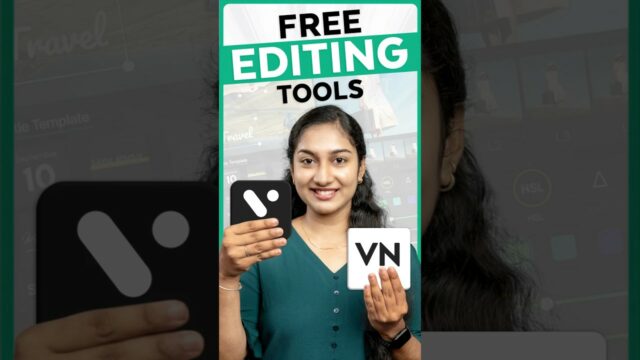
In the contemporary digital landscape, video editing has evolved from a niche professional skill into a fundamental requirement for content creators, hobbyists, and entrepreneurs. Whether the goal is producing high-engagement TikTok reels, polished YouTube vlogs, or cinematic short films, the availability of high-quality, free video editing apps has democratized the production process. In 2024, two platforms stand out as the premier choices for those seeking professional results without financial investment.
1. DaVinci Resolve: The Professional Standard
DaVinci Resolve is widely recognized as a powerhouse in the film industry, particularly renowned for its color grading capabilities. While a paid “Studio” version exists, the free version remains incredibly robust, offering a comprehensive suite of tools that far exceed the requirements of most independent creators.
Why It Is a Game-Changer
Unlike many free editors that limit functionality or add watermarks, DaVinci Resolve provides a professional-grade environment. It is designed for those who view video editing as a craft and are willing to invest time in learning the intricacies of post-production.
Key Features
- Advanced Color Grading: Its industry-leading color correction tools allow for precise manipulation of hues, saturation, and exposure, enabling a distinct cinematic aesthetic.
- Fusion Visual Effects: The integrated Fusion module provides a node-based system for complex compositing, motion graphics, and Hollywood-style VFX.
- Fairlight Audio Suite: A full digital audio workstation (DAW) is built-in, offering professional noise reduction and multi-track mixing.
- Multicam Editing: Essential for interviews or events, this feature allows users to synchronize and switch between multiple camera angles seamlessly.
User Profile and Performance
DaVinci Resolve is best suited for intermediate to advanced users. While the interface is intuitive for those familiar with NLEs (Non-Linear Editors), beginners should expect a steeper learning curve. Furthermore, due to its intensive processing requirements, a powerful hardware setup is recommended for smooth performance.
Pros:
- No watermarks on exported projects.
- Full support for 4K and HDR workflows.
- Cross-platform availability (Windows, macOS, Linux).
Cons:
- High system resource demand (RAM and GPU).
- Complexity may be overwhelming for absolute beginners.
Official Source: Download DaVinci Resolve
2. CapCut: The Social Media Powerhouse
CapCut has rapidly ascended from a TikTok-centric utility to a versatile editing platform compatible with various devices. It prioritizes speed, accessibility, and trend-driven effects, making it the ideal choice for the modern social media ecosystem.
Why It Is Trending
CapCut removes the friction from the editing process. By combining AI-driven automation with a massive library of presets, it allows creators to produce high-quality vertical and horizontal content in a fraction of the time required by traditional software.
Key Features
- Omni-Platform Compatibility: Seamlessly transition between mobile devices and desktop applications, allowing for flexible workflows.
- AI-Powered Auto Captions: An essential tool for accessibility and engagement, automatically converting speech to text for global audiences.
- Extensive Asset Library: Access to a vast array of trending filters, transitions, and music tracks to enhance visual storytelling.
- Precision Speed Control: Easy-to-use tools for creating smooth slow-motion or high-energy time-lapse sequences.
- Integrated Cloud Storage: Projects can be synced across devices, facilitating a mobile-first editing experience.
User Profile and Performance
CapCut is engineered for beginners and social media enthusiasts. Its streamlined interface minimizes the time between filming and publishing, though it lacks the deep technical control required for high-end feature filmmaking.
Pros:
- Extremely user-friendly and intuitive interface.
- Optimized specifically for short-form content platforms.
- Free to use with a wide range of no-watermark options.
Cons:
- Lacks advanced color grading and VFX depth.
- Not suitable for long-form, complex cinematic productions.
Official Source: Download CapCut
Comparative Analysis: Choosing the Right Tool
Selecting the appropriate software depends on your technical proficiency and the intended destination of your video content. The following table provides a side-by-side comparison:
| Feature | DaVinci Resolve | CapCut |
|---|---|---|
| Learning Curve | Moderate to Steep | Low (Beginner-Friendly) |
| Primary Platform | Desktop (Win/Mac/Linux) | Mobile & Desktop |
| Ideal Use Case | Professional Films/Commercials | TikTok, Reels, Shorts |
| Advanced Toolset | Extensive (VFX, Color, Audio) | Limited (Preset-based) |
| Max Export Quality | 4K and HDR | Up to 4K |
Professional Tips for Maximum Efficiency
To get the most out of these free tools, consider the following strategies:
- The Stepping-Stone Approach: If you are new to editing, start with CapCut to learn the basics of pacing and cutting. Once you feel limited by the tools, graduate to DaVinci Resolve for more control.
- Utilize Community Resources: Both platforms have massive online communities. Search for “DaVinci Resolve basics” or “CapCut trends” on YouTube to accelerate your learning.
- Iterative Experimentation: Do not be afraid to misuse a tool to see what happens. Experimenting with a filter in CapCut or a node in Resolve is the fastest way to develop a unique visual style.
Final Verdict
In 2024, the barrier to entry for high-quality video production has never been lower. DaVinci Resolve remains the gold standard for those pursuing a professional career in cinematography or high-end editing, while CapCut is the undisputed leader for rapid, stylish content creation. Depending on your goals, one or both of these tools can elevate your digital presence to a professional level.
FAQ
Is DaVinci Resolve truly free?
Yes, there is a free version that includes the vast majority of the software's features without adding watermarks to your exports.
Can I use CapCut on my computer?
Yes, CapCut offers both a mobile app and a desktop version for Windows and macOS.
Which app is better for YouTube?
It depends on the content. For high-production cinematic videos, DaVinci Resolve is superior. For fast-paced vlogs or Shorts, CapCut is more efficient.






Leave a Reply