
Short Answer
Introduction to Video Editing on macOS
Selecting the right video editing software for a Mac requires a balance of power, usability, and optimization for the macOS environment. Whether you are a professional cinematographer, a content creator for YouTube, or a hobbyist documenting family memories, the choice of tool directly impacts your production efficiency and creative output.
The Industry Standard: Final Cut Pro
Final Cut Pro is Apple’s flagship professional editing suite and is widely considered the premier choice for Mac users. Because it is developed by Apple, it is engineered to leverage the full potential of macOS and Apple silicon.
Key Advantages of Final Cut Pro
- Hardware Optimization: Built specifically for Mac, it offers exceptional performance on M1, M2, and M3 chips, utilizing GPU acceleration and background rendering to minimize downtime.
- The Magnetic Timeline: Unlike traditional tracks, the magnetic timeline allows editors to organize clips flexibly without overwriting or leaving gaps.
- Professional Toolset: It includes comprehensive features such as multicam editing, 360-degree video support, and high-dynamic range (HDR) color grading.
- Extensibility: A vast ecosystem of third-party plugins allows users to add advanced transitions, effects, and dynamic templates.
Alternative Video Editors for Mac
While Final Cut Pro is a powerhouse, other software may better suit specific budgets or technical needs. The following table provides a comparison of popular alternatives:
| Software | Best For | Key Characteristic |
|---|---|---|
| iMovie | Beginners | Free, pre-installed, and intuitive. |
| Adobe Premiere Pro | Industry Professionals | Cross-platform and integrates with After Effects. |
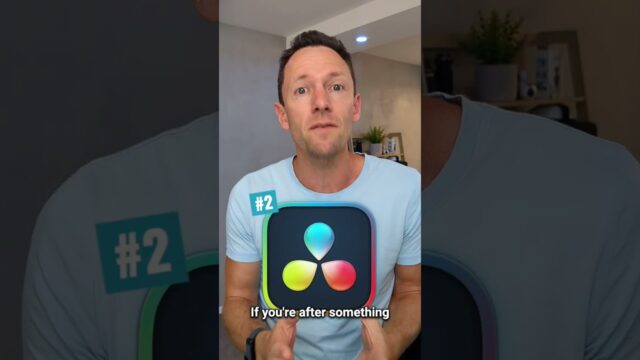
| DaVinci Resolve | Color Grading | Unmatched color correction and a robust free version. |
| Camtasia | Tutorials/Education | Specialized for screen recording and presentations. |
| CapCut | Social Media | Fast, trend-driven editing for short-form video. |
Detailed Breakdown of Alternatives
iMovie
For those starting their journey, iMovie is an excellent entry point. It is pre-installed on all Macs and offers a drag-and-drop interface, basic templates, and seamless integration with iCloud and the Photos app.
Adobe Premiere Pro
Premiere Pro is a global standard for professional editing. Its primary strength lies in the Adobe Creative Cloud ecosystem, specifically the Dynamic Link feature that allows seamless movement between Premiere and After Effects. However, it operates on a monthly subscription model.
DaVinci Resolve
Renowned for its world-class color grading, DaVinci Resolve has evolved into a complete post-production solution covering editing, VFX, and audio post-production. It is highly regarded for offering a free version that remains incredibly powerful.
Criteria for Choosing a Mac Video Editor
When evaluating which software to implement in your workflow, consider the following four pillars:
- Performance: Ensure the software supports 4K resolution and leverages the Metal framework for hardware acceleration.
- Feature Set: Determine if you require multi-layered editing, advanced audio tools, or specific color correction capabilities.
- Usability: Assess the learning curve. Professional tools offer more control but require more time to master.
- Pricing Model: Decide between a one-time purchase (Final Cut Pro), a subscription (Premiere Pro), or a free option (iMovie/DaVinci Resolve Free).
Final Recommendations
For the ultimate macOS experience and professional speed, Final Cut Pro remains the top recommendation. However, the “best” editor is ultimately the one that aligns with your specific project goals and budget. We recommend testing free trials or versions—such as those offered by DaVinci Resolve or iMovie—before committing to a professional license.
For further visual guides, you can explore our complete roundup of video editing software: Best Video Editing Software For Mac.
FAQ
Is Final Cut Pro better than Premiere Pro for Mac?
Final Cut Pro is generally more optimized for macOS hardware, offering faster rendering and a more fluid interface on Apple Silicon, while Premiere Pro offers better cross-platform compatibility and integration with After Effects.
Which free video editor is best for Mac?
iMovie is best for absolute beginners, while the free version of DaVinci Resolve is best for those seeking professional-grade color and audio tools.
What is the 'Magnetic Timeline'?
It is a unique feature of Final Cut Pro that allows clips to snap into place, preventing accidental gaps or overwrites during the editing process.





Leave a Reply