
Short Answer
Creating content for YouTube has never been more accessible or competitive. Whether you are a novice vlogger or a seasoned professional creator, the choice of video editing software is pivotal in elevating a project from average to extraordinary. Editing is more than the technical process of cutting clips; it is the art of storytelling that determines viewer retention and engagement.
The Importance of Choosing the Right Editing Software
The right toolset allows a creator to move beyond basic assembly and into high-level production. Effective software enables creators to:
- Enhance Visual Quality: Through color correction and high-resolution exports.
- Increase Engagement: Utilizing seamless transitions, dynamic effects, and precise audio synchronization.
- Optimize for Algorithms: Efficiently adding subtitles, captions, and formatting for YouTube Shorts and Reels.
For Beginners: Intuitive Tools for New Creators
For those just starting, the priority is a low learning curve and a streamlined interface that doesn’t overwhelm the user.
iMovie
Platform: macOS, iOS | Cost: Free
For Apple users, iMovie serves as an excellent entry point. It features an intuitive drag-and-drop interface and built-in themes that allow beginners to produce clean videos quickly. While it lacks advanced grading and layering, its seamless integration with the Apple ecosystem is a significant advantage.
Filmora
Platform: Windows, macOS | Cost: Free trial; Paid subscription (~$49.99/year)
Wondershare Filmora bridges the gap between simplicity and creativity. It provides a vast library of pre-made templates and effects, including motion tracking and green screen capabilities, making it ideal for creators who want a professional look without a steep learning curve.
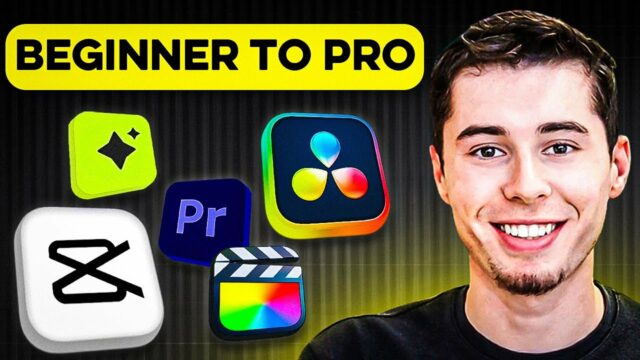
CapCut
Platform: Windows, macOS, iOS, Android | Cost: Free / Pro version
Particularly popular for short-form content, CapCut offers a highly efficient workflow for those targeting YouTube Shorts, providing trendy transitions and AI-driven captions.
For Intermediate Users: Balancing Creativity and Control
Intermediate editors typically require more granular control over their timeline and audio without needing the full complexity of a Hollywood studio suite.
Adobe Premiere Elements
Platform: Windows, macOS | Cost: One-time purchase (~$99.99)
Premiere Elements is a simplified version of the professional Pro suite. It offers guided editing modes that teach users new techniques and AI-powered tools to automate tedious tasks, making it a budget-friendly alternative to a monthly subscription.
DaVinci Resolve
Platform: Windows, macOS, Linux | Cost: Free; Studio version ($295)
DaVinci Resolve is widely regarded as the gold standard for color grading. The free version is incredibly generous, offering professional-grade tools, multicam editing, and integrated Fairlight audio post-production. It is the best choice for creators who want to transition into professional cinematography.
For Pros: Industry-Standard Production
Professional creators require software that can handle high-bitrate 8K footage, complex motion graphics, and collaborative workflows.
Adobe Premiere Pro
Platform: Windows, macOS | Cost: Subscription (~$20.99/month)
Premiere Pro is the industry mainstay due to its versatility and integration with the Adobe Creative Cloud (After Effects, Photoshop). It supports VR editing and advanced color correction, though the subscription model is a recurring cost for the user.
Final Cut Pro
Platform: macOS | Cost: One-time purchase (~$299)
Optimized specifically for Mac hardware, Final Cut Pro is known for its “Magnetic Timeline,” which allows for faster rearranging of clips. It offers superior performance with HDR and 360-degree video, providing a high-end experience without a monthly fee.
Niche Options and AI Enhancements
Depending on the content type, certain specialized tools may be more effective than a general editor.
| Software | Best Use Case | Key Strength |
|---|---|---|
| Camtasia | Tutorials & Education | Integrated screen recording |
| HitFilm Express | VFX-Heavy Content | Hollywood-level visual effects |
| Gling AI | Talking Head Videos | AI-powered silence and error removal |
How to Choose Your Software
When selecting a tool, consider the following four criteria:
- Skill Level: Prioritize ease of use if you are a beginner; prioritize flexibility if you are advanced.
- Budget: Determine if you prefer a one-time payment (Final Cut Pro, Premiere Elements) or a subscription (Premiere Pro).
- Hardware: Ensure your computer meets the RAM and GPU requirements, especially for 4K editing.
- Specific Features: Identify if you need niche tools like green screen, motion tracking, or AI transcription.
YouTube Editing Tips for 2024
- Optimize for Mobile: With a vast majority of views occurring on mobile devices, ensure your pacing is fast and consider vertical formats for Shorts.
- Use Templates: Leverage pre-designed motion graphics to maintain a consistent brand identity across your channel.
- Focus on the First 30 Seconds: Use a high-energy edit at the start of your video to maximize viewer retention.
FAQ
Is free software enough for a professional YouTube channel?
Yes, tools like DaVinci Resolve offer professional-grade features for free that can compete with paid software.
What is the difference between Premiere Pro and Premiere Elements?
Premiere Pro is a subscription-based professional suite with advanced tools, while Elements is a one-time purchase designed for hobbyists.
Which software is best for YouTube Shorts?
CapCut is highly recommended for Shorts due to its mobile-first design and trendy effects.






Leave a Reply