
Short Answer
Introduction to Retro Gaming Conversion
Repurposing older computer hardware is an excellent way to breathe new life into obsolete technology. By utilizing Batocera, a Linux-based operating system designed specifically for retro gaming, a standard desktop PC can be transformed into a streamlined, console-like experience.
Hardware Specifications
For this project, the following hardware configuration was used to test the viability of the system:
- CPU: Intel Core 2 Duo E8400 @ 3.0GHz
- RAM: 2GB DDR3 Memory
- Graphics: Internal GMA X4500
Software Environment
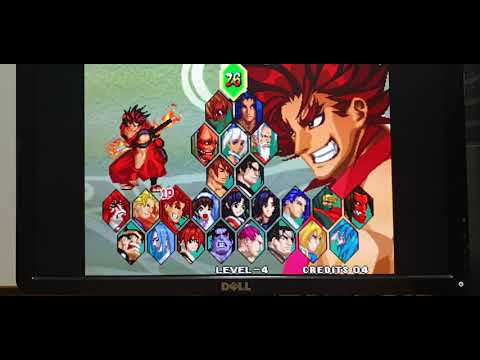
The system runs Batocera version 5.26. This distribution provides a user-friendly interface that manages various emulators and BIOS files, allowing the user to navigate their game library with a controller rather than a keyboard and mouse.
Emulator Performance and Compatibility
Given the limitations of the Intel GMA X4500 integrated graphics and the Core 2 Duo architecture, performance varies by system. Below is a comprehensive list of emulators that were successfully tested on this specific hardware configuration.
Tested and Functional Emulators
| Console / System | Status |
|---|---|
| Bandai WonderSwan Color | Functional |
| FinalBurn Neo | Functional |
| Game & Watch | Functional |
| Sega Game Gear | Functional |
| Nintendo Game Boy Advance | Functional |
| Nintendo Game Boy Color | Functional |
| Nintendo 64 (N64) | Functional |
| Nintendo Famicom (NES) | Functional |
| Nintendo Super Famicom (SNES) | Functional |
| SEGA Mega Drive (Genesis) | Functional |
| SEGA 32X | Functional |
| Sony PlayStation 1 (PS1) | Functional |
The results indicate that the Core 2 Duo E8400 remains highly capable of handling 8-bit and 16-bit eras, as well as early 3D gaming via the PlayStation 1 and Nintendo 64, provided the software is optimized.
Conclusion
Converting an old PC into a dedicated gaming console is a sustainable and rewarding project. Even with modest specifications like the Core 2 Duo and integrated graphics, Batocera provides a robust platform for enjoying a vast library of classic titles.
FAQ
Can this setup run PlayStation 2 games?
Based on the tested specs (GMA X4500), PS2 emulation is likely too demanding; however, PS1 runs successfully.
Is a dedicated GPU required for Batocera?
No, but a dedicated GPU will significantly improve performance for 3D systems like N64 and PS1.
How do I install Batocera on an old PC?
Batocera is typically installed onto a USB drive or internal hard drive using a tool like Etcher.



Leave a Reply